Automated Testimonial Collection: Timing and Targeting
Systematically capture testimonials by reaching happy users at the right moment. Build a testimonial engine that runs on autopilot.
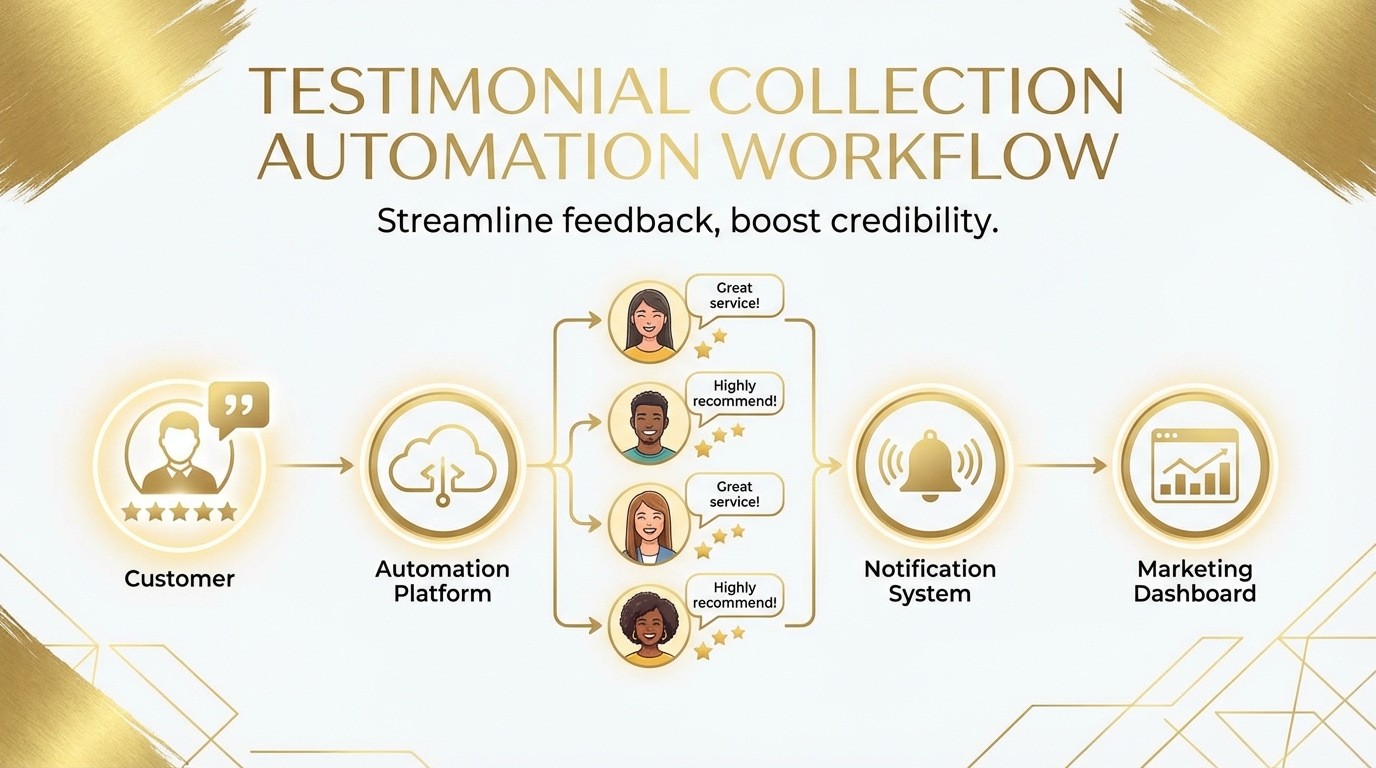
Summary
Testimonials are powerful—but collecting them is awkward. Asking customers for testimonials feels sales-y, timing is uncertain, and manual outreach doesn't scale. Automated testimonial collection solves these problems by identifying satisfied customers, reaching them at optimal moments, and making it easy to share their experience. This guide covers how to build a testimonial engine that generates social proof continuously without manual effort.
The Testimonial Collection Challenge
Most companies struggle to gather enough quality testimonials.
Why Manual Collection Fails
Awkward asks:
- "Would you mind writing something nice about us?" feels uncomfortable
- Sales and success teams avoid the ask to protect relationships
- Customers feel put on the spot
Timing problems:
- You don't know when customers are happiest
- Asking during neutral moments gets lukewarm responses
- Missing the peak satisfaction window
Scale limitations:
- One-off asks require constant effort
- No systematic process means inconsistent results
- High-value customers get over-asked; others get ignored
What Good Testimonial Collection Looks Like
Effective systems are:
- Triggered by satisfaction signals: Ask when customers are demonstrably happy
- Frictionless: Easy for customers to say yes
- Targeted: Right ask to right customer at right time
- Continuous: Always running, always collecting
- Respectful: Never pushy, honors preferences
Identifying Testimonial-Ready Customers
Not every customer should be asked. Target those likely to respond positively.
Satisfaction Signals
Look for customers showing happiness:
| Signal | Strength | Why It Works |
|---|---|---|
| High NPS score (9-10) | Very strong | Explicit satisfaction |
| Positive feedback | Strong | Direct expression |
| Feature advocacy (sharing/referring) | Very strong | Already promoting |
| Achievement milestone | Strong | Feeling of success |
| Successful support resolution | Moderate | Problem-solved gratitude |
| Long tenure + high engagement | Moderate | Committed relationship |
Timing Windows
Satisfaction peaks at specific moments:
High-opportunity moments:
- Immediately after successful outcome
- After support resolved a significant issue
- Upon achieving a milestone (100th project, 1-year anniversary)
- After expressing satisfaction in survey
- When usage indicates they've "gotten it"
Low-opportunity moments:
- During active support issues
- When usage is declining
- During billing or contract discussions
- Random cold outreach
Customer Segmentation for Asks
Prioritize asks based on testimonial value:
| Segment | Testimonial Value | Ask Priority |
|---|---|---|
| Recognizable brand | Very high | High |
| Your target ICP | High | High |
| Long tenure + success | High | High |
| High engagement | Moderate | Medium |
| New but satisfied | Moderate | Medium |
| Low engagement | Low | Low |
Building Automated Collection Workflows
Design systems that trigger asks automatically.
The Testimonial Workflow Framework
[Satisfaction Signal Detected]
        ↓
[Customer Qualification Check]
    ├── Not qualified → Wait for future signal
    └── Qualified → Continue
        ↓
[Check Ask History]
    ├── Recently asked → Wait (cooldown period)
    └── Not recently asked → Continue
        ↓
[Select Ask Type]
        ↓
[Deliver Ask]
        ↓
[Track Response]
    ├── Accepted → [Collection Flow]
    ├── Declined → [Respect + Future Flag]
    └── No response → [Single Follow-up]
Trigger Configuration
Set up automated triggers:
NPS-based trigger:
IF user.nps_score >= 9
   AND user.last_testimonial_ask > 90_days_ago
   AND user.account_age > 30_days
THEN trigger testimonial_request
     delay: 24_hours
     type: email
Achievement-based trigger:
IF user.completed_milestone = true
   AND milestone.significance = "major"
   AND user.sentiment_score > 70
THEN trigger testimonial_request
     delay: 2_hours
     type: in_app
Feedback-based trigger:
IF feedback.sentiment = "positive"
   AND feedback.contains_praise = true
   AND user.testimonial_status != "provided"
THEN trigger testimonial_request
     delay: immediate
     type: contextual_in_app
Ask Types and Formats
Different asks for different contexts:
In-app modal (high engagement moments):
"You just completed your 100th project! 🎉

We'd love to hear about your experience.
Would you share a quick testimonial?

[Share My Experience] [Maybe Later]"
Email (follow-up to positive signal):
Subject: Quick favor from the [Product] team?

Hi [Name],

We noticed you gave us a 10 on our recent survey—thank you!

Would you be willing to share a sentence or two about your
experience? Your words help other [target audience] discover us.

[Write a Testimonial] (takes ~2 minutes)

No pressure at all—we appreciate you either way.

Best,
[Team]
Post-support (after positive resolution):
"Glad we could help resolve that!

If you have a moment, we'd appreciate you sharing
your support experience with others.

[Share Feedback] [No Thanks]"
Making Testimonial Submission Effortless
Friction kills response rates. Remove every barrier.
The Perfect Testimonial Form
Keep it minimal:
┌─────────────────────────────────────────────┐
│  Share Your Experience                       │
│                                              │
│  What do you love about [Product]?          │
│  ┌─────────────────────────────────────┐    │
│  │                                     │    │
│  │  (3 sentences is perfect)           │    │
│  │                                     │    │
│  └─────────────────────────────────────┘    │
│                                              │
│  Can we use your name and company?          │
│  ○ Yes, [Name] at [Company]                 │
│  ○ Just first name and industry             │
│  ○ Anonymous                                 │
│                                              │
│  [Submit Testimonial]                        │
└─────────────────────────────────────────────┘
Why this works:
- Single text field (not multiple questions)
- Guidance on length expectations
- Attribution options (some prefer anonymity)
- No login required (if possible)
- Mobile-friendly
Reducing Cognitive Load
Help customers know what to write:
Prompts and starters:
- "Before [Product], I used to... Now I..."
- "The thing I appreciate most is..."
- "I'd recommend [Product] because..."
Example testimonials:
- Show examples of what good testimonials look like
- Include variety (short/long, different focuses)
Specific questions (if needed):
- "What problem were you solving?"
- "How has [Product] helped?"
- "What would you tell someone considering us?"
Multi-Format Options
Some customers prefer different formats:
Written testimonial:
- Standard text submission
- Lowest friction
- Most common
Video testimonial:
- Higher effort but more impactful
- Offer for enthusiastic customers
- Provide recording guidance
Social share:
- Tweet/LinkedIn post
- Very low friction
- Public social proof
Quote approval:
- You write based on their feedback
- They approve or edit
- Lowest customer effort
Follow-Up and Optimization
First ask often isn't enough.
Gentle Follow-Up Sequences
For non-responders:
Follow-up 1 (3-5 days):
- Friendly reminder
- Even easier option (shorter ask)
- Clear opt-out
Follow-up 2 (7-10 days):
- Final gentle ask
- Acknowledge they're busy
- End sequence regardless of response
Never:
- More than 2 follow-ups
- Guilt or pressure
- Continuing after opt-out
Handling Responses
Positive response:
- Thank immediately
- Confirm how it will be used
- Offer to show them the final placement
- Add to advocate program (if exists)
Declined:
- Thank them anyway
- Flag to not ask again for extended period
- Note reason if provided (for improvement)
No response:
- Don't take personally
- Wait minimum 6 months before next ask
- Consider different channel next time
Measuring Collection Effectiveness
Track testimonial program health:
| Metric | Target | What It Indicates |
|---|---|---|
| Ask rate | Varies | Are you identifying enough opportunities? |
| Response rate | 15-25% | Are asks well-timed and frictionless? |
| Completion rate | 70%+ | Is the submission process easy? |
| Quality rate | 80%+ | Are you getting usable testimonials? |
| Time to response | Under 48 hrs | Are asks reaching customers at right moments? |
Using Collected Testimonials
Testimonials aren't valuable until deployed.
Testimonial Management
Build a testimonial repository:
For each testimonial, track:
- Full text and any variations
- Attribution level (full/partial/anonymous)
- Customer segment and industry
- Use case or feature highlighted
- Collection date and method
- Usage rights and expiration
Organization:
- Tag by theme (ease of use, support, ROI, etc.)
- Tag by customer type (enterprise, SMB, industry)
- Tag by use case (what problem it addresses)
- Rate by quality/impact
Deployment Strategies
Use testimonials strategically:
Homepage:
- Best overall testimonials
- Recognizable brands
- Rotate to prevent staleness
Pricing page:
- ROI-focused testimonials
- "Worth the investment" quotes
- Enterprise logos (if selling to enterprise)
Feature pages:
- Feature-specific testimonials
- Match testimonial to feature discussed
Emails and ads:
- Segment-relevant testimonials
- Match testimonial customer to target customer
Sales materials:
- Industry-specific collections
- Use case portfolios
- Video testimonials for high-touch sales
Refreshing Testimonials
Testimonials get stale:
Signs testimonial needs refresh:
- Customer is no longer a customer
- Product has changed significantly
- Testimonial references outdated features
- Customer's company/role has changed
Refresh process:
- Contact customer for update
- Archive (don't delete) old version
- Replace with updated testimonial
- Track testimonial age in reporting
Advanced Techniques
Testimonial Triggers from Product Analytics
Use product data to identify testimonial moments:
Success pattern detection:
- User completes workflow 50% faster than average
- User invites entire team (adoption signal)
- User exports/shares work (value realization)
Feature advocacy signals:
- User enables all integrations
- User customizes extensively
- User creates templates for others
AI-Assisted Testimonial Enhancement
Use AI to improve testimonials (with permission):
Grammar and clarity:
- Fix typos and awkward phrasing
- Maintain customer's voice
- Always get approval on changes
Quote extraction:
- Pull the most impactful sentences
- Create headline-worthy snippets
- Generate multiple versions for different contexts
Testimonial A/B Testing
Test which testimonials perform best:
- Rotate testimonials on landing pages
- Track conversion impact
- Identify highest-performing testimonials
- Learn what resonates with prospects
Compliance and Ethics
Handle testimonials responsibly.
Permission and Rights
Always:
- Get explicit permission for use
- Clarify where testimonials will appear
- Honor attribution preferences
- Provide opt-out mechanism
Document:
- Permission date and method
- Scope of permitted use
- Any restrictions specified
Authenticity
Never:
- Edit to change meaning
- Fabricate testimonials
- Misrepresent customer relationship
- Use without permission
Always:
- Keep original for reference
- Note any edits made
- Verify customer is real and current
- Update when customer status changes
Key Takeaways
- Trigger by satisfaction signals: Ask when customers are demonstrably happy
- Automate the workflow: Build systems that identify and reach customers automatically
- Remove all friction: Make submission as easy as possible
- Follow up gently: One or two reminders max, then stop
- Organize for deployment: Tag and categorize for strategic use
- Keep testimonials fresh: Archive and refresh as needed
User Vibes OS identifies your happiest customers and automates testimonial collection at the optimal moment. Learn more.
Related Articles
Turning Happy Users into Advocates: Automating Testimonial Collection
Learn when and how to ask for testimonials, identify your happiest users with AI, and amplify social proof across channels. Convert satisfaction into growth.
Email Drip Campaigns Triggered by User Sentiment
Build smarter nurture sequences that respond to how users actually feel. Use sentiment signals to send the right email at the right moment.
Qualifying Leads with Smart Surveys: Beyond Demographics to Intent
Learn how AI-powered surveys segment users by problem urgency, budget, and fit. Feed better leads to sales and product teams with intelligent qualification.
Written by User Vibes OS Team
Published on January 15, 2026