The Feedback-to-Feature Pipeline: From Raw Input to Shipped Code
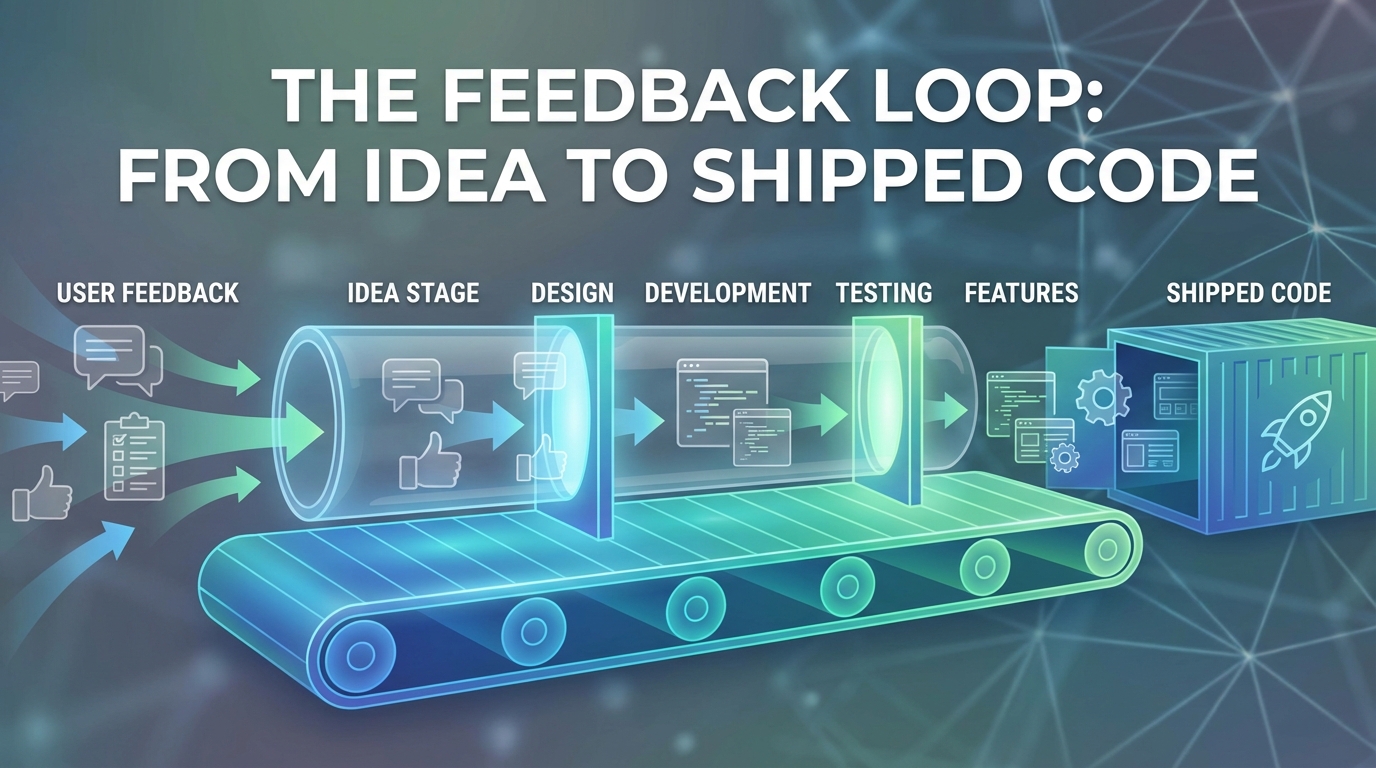
End-to-end workflow from feedback collection through prioritization, specification, development, and closing the loop with users who requested features.
Summary
Feedback collection means nothing without a system to transform it into shipped features. Most companies have gaps in this pipeline—feedback sits unprocessed, prioritization lacks rigor, requesters never hear back. This guide provides an end-to-end workflow from raw user input through prioritization, specification, development, and closing the loop with the users who made it happen.
The Broken Pipeline
Most feedback-to-feature pipelines have leaks:
| Pipeline Stage | Common Failure |
|---|---|
| Collection | Feedback lands in multiple unconnected systems |
| Processing | Raw feedback sits unstructured in backlogs |
| Prioritization | Loudest voices win, not best evidence |
| Specification | User context lost by time feature is specced |
| Development | Engineers don't see original user problem |
| Release | Users who requested never know it shipped |
Each failure reduces the value of the entire system. Why collect feedback if it doesn't influence what you build?
Stage 1: Collection and Intake
Feedback arrives through many channels. Capture it systematically.
Unified Intake
All feedback flows to one system:
┌─────────────────────────────────────────────┐
│           Feedback Sources                   │
│  In-app widget | Email | Support | Sales    │
│  Interviews | Social | Reviews | Surveys    │
└─────────────────────────────────────────────┘
          │
          ▼
┌─────────────────────────────────────────────┐
│         Unified Feedback Inbox              │
│  - Standardized format                       │
│  - User context attached                     │
│  - Source tracked                            │
└─────────────────────────────────────────────┘
Standardized Format
Every feedback item includes:
const feedbackItem = {
  // Content
  rawText: "User's exact words",
  summary: "AI-generated summary",

  // Classification
  type: "feature_request", // bug, feature, question, praise
  productArea: "reporting",
  theme: "export_functionality",

  // User Context
  userId: "user_123",
  accountId: "account_456",
  plan: "enterprise",
  tenure: "18_months",
  ltv: 45000,

  // Source Context
  source: "in_app_widget",
  page: "/reports/dashboard",
  timestamp: "2026-01-12T10:30:00Z",

  // Processing Status
  status: "new",
  linkedFeatures: [],
  assignedTo: null,
};
Automatic Enrichment
AI enriches raw feedback:
- Extract the underlying job-to-be-done
- Identify the user segment
- Assess urgency and impact
- Link to existing feature requests
Stage 2: Processing and Clustering
Raw feedback needs processing before prioritization.
Duplicate Detection
AI identifies duplicate and related requests:
const processNewFeedback = async (newItem) => {
  const similar = await findSimilar({
    content: newItem.rawText,
    threshold: 0.8,
    maxResults: 10,
  });

  if (similar.length > 0) {
    // Link to existing cluster
    await linkToCluster(newItem, similar[0].clusterId);
    await updateClusterCount(similar[0].clusterId);
  } else {
    // Create new cluster
    await createCluster(newItem);
  }
};
Theme Clustering
Group feedback into actionable themes:
Example cluster: "CSV Export Enhancement"
Cluster: CSV Export Enhancement
Total requests: 47
────────────────────────────────────────
Request variants:
- "Need to export to Excel, not just PDF" (23)
- "CSV export is missing columns" (12)
- "Want to schedule automated exports" (8)
- "Export is too slow for large datasets" (4)

User segments:
- Enterprise: 34 (72%)
- Pro: 11 (23%)
- Free: 2 (5%)

Average LTV of requesters: $12,400
First requested: 8 months ago
Most recent: Yesterday
Jobs-to-Be-Done Extraction
Move beyond feature requests to underlying needs:
| User Request | Extracted Job |
|---|---|
| "Add Excel export" | Share data with stakeholders who use Excel |
| "Need bigger upload limits" | Process large datasets without workarounds |
| "Add dark mode" | Work comfortably in low-light environments |
Understanding the job enables better solutions than literal feature implementation.
Stage 3: Prioritization
Prioritize based on evidence, not volume or loudness.
Multi-Factor Scoring
Score each cluster/theme:
Priority Score = (
  Request Volume * 0.15 +
  Requester Value * 0.25 +
  Strategic Alignment * 0.20 +
  (1 / Implementation Effort) * 0.15 +
  Competitive Gap * 0.15 +
  Churn Correlation * 0.10
)
Requester Value Weighting
Not all requests are equal:
| Requester Characteristic | Weight Multiplier |
|---|---|
| Enterprise account | 3x |
| High expansion potential | 2x |
| At-risk (low health score) | 2x |
| Power user | 1.5x |
| Free tier | 0.5x |
47 requests from Enterprise accounts outweigh 100 from free users.
Strategic Alignment Assessment
Rate alignment with company strategy:
| Rating | Definition | Score |
|---|---|---|
| Core | Directly advances primary strategy | 5 |
| Supporting | Enables core strategy | 4 |
| Neutral | Neither helps nor hurts | 3 |
| Tangential | Distracts from core focus | 2 |
| Conflicting | Works against strategy | 1 |
Prioritization Matrix
Plot score against effort:
                    HIGH SCORE
                        │
         Quick Wins     │     Big Bets
         ████████       │     ████████
         Do Now         │     Plan Carefully
                        │
LOW EFFORT ─────────────┼───────────── HIGH EFFORT
                        │
         Fill Ins       │     Time Sinks
         ████████       │     ████████
         Do Eventually  │     Probably Skip
                        │
                    LOW SCORE
Stage 4: Specification
Translate prioritized feedback into buildable specifications.
User Context Package
Every spec includes original user context:
## Feature: Export to Excel Format

### User Evidence
- **Total requests**: 47 users over 8 months
- **Segments**: 72% Enterprise, 23% Pro, 5% Free
- **Representative quotes**:
  - "I spend 30 minutes every week converting CSVs to Excel for my CFO"
  - "Our finance team rejects CSVs—they need actual .xlsx files"
  - "The formatting is lost when I open CSV in Excel"

### Job to Be Done
Share financial reports with stakeholders who use Microsoft Excel,
preserving formatting and enabling further analysis.

### Current Workaround
Users export CSV, open in Excel, manually format, resave as .xlsx.
Average time: 15-30 minutes per export.

### Success Criteria
- [ ] Users can select Excel format from export dropdown
- [ ] Formatting (column widths, headers, data types) preserved
- [ ] File opens correctly in Excel 2019+ and Google Sheets
- [ ] Export time < 2x current CSV export time
Solution Options
Present options with tradeoffs:
| Option | Effort | Completeness | Risk |
|---|---|---|---|
| A: XLSX via library | 3 days | Full Excel compatibility | Low |
| B: Google Sheets link | 1 day | Limited to Sheets users | Medium |
| C: Formatted CSV | 2 days | Partial Excel compatibility | Low |
Recommendation: Option A for full solution; Option C as quick interim.
Acceptance Criteria
Clear, testable criteria tied to user feedback:
Feature: Excel Export

Scenario: User exports report to Excel format
  Given I am on the reports page
  And I have a report with 1000 rows
  When I click "Export" and select "Excel (.xlsx)"
  Then a file downloads with .xlsx extension
  And the file opens in Excel without errors
  And column headers are bold
  And date columns are formatted as dates
  And number columns are formatted as numbers
Stage 5: Development
Keep user context visible through development.
Developer Context
Engineers see why they're building:
┌─────────────────────────────────────────────────────────┐
│ JIRA-1234: Add Excel Export Format                      │
├─────────────────────────────────────────────────────────┤
│ 📊 User Evidence: 47 requests | Enterprise priority     │
│ 💬 "I spend 30 min/week converting CSVs to Excel"      │
│ 🎯 Job: Share reports with Excel-using stakeholders    │
│ 📋 Spec: [link]  |  🎨 Design: [link]                  │
├─────────────────────────────────────────────────────────┤
│ Acceptance Criteria:                                    │
│ □ XLSX format exports correctly                        │
│ □ Formatting preserved (headers, dates, numbers)        │
│ □ Performance within 2x CSV baseline                    │
└─────────────────────────────────────────────────────────┘
User Feedback During Development
Enable beta testing with requesters:
- Identify beta candidates: Users who requested this feature
- Reach out: "You asked for Excel export—want early access?"
- Deploy behind flag: Enable for beta participants
- Collect feedback: "Did this solve your problem?"
- Iterate: Adjust based on beta feedback before full release
Definition of Done
Include feedback loop in DoD:
- Feature implemented per spec
- Tests passing
- Code reviewed
- Deployed to beta users
- Beta feedback positive (>80% satisfaction)
- Documentation updated
- Release notes drafted
- Requester notification queued
Stage 6: Release and Loop Closure
The pipeline isn't complete until users know.
Requester Notification
Close the loop with everyone who asked:
Automated email:
Subject: You asked, we built: Excel Export is here!

Hi Sarah,

8 months ago, you told us:
"I spend 30 minutes every week converting CSVs to Excel for my CFO."

We listened. Excel export is now available in your account.

[Try it now →]

To export to Excel:
1. Go to any report
2. Click Export
3. Select "Excel (.xlsx)"

That's it. No more manual conversion.

Thanks for helping us make [Product] better.

- The Product Team
Public Changelog Attribution
Credit users (with permission) in release notes:
## January Release Notes

### ✨ New: Excel Export Format
Export reports directly to Excel (.xlsx) format with preserved formatting.
*Thanks to Sarah C., Michael R., and 45 other customers who requested this.*
Impact Measurement
Track whether the feature solved the problem:
| Metric | Baseline | After Release | Target |
|---|---|---|---|
| Export support tickets | 12/week | 3/week | Less than 5/week |
| Excel format adoption | N/A | 34% of exports | >25% |
| Requester satisfaction | N/A | 91% positive | >80% |
Feedback on the Feedback
Ask requesters if their need was met:
"You asked for Excel export and we shipped it. Did it solve your problem?"
- Yes, exactly what I needed
- Partially—I still need [X]
- No, it missed the mark
"Partially" responses inform iteration. "No" responses indicate misunderstanding of the original need.
Key Takeaways
-
Unify collection: All feedback flows to one system with standardized format and rich user context.
-
Process before prioritization: Cluster duplicates, extract themes, and identify underlying jobs-to-be-done.
-
Prioritize on evidence: Multi-factor scoring weights requester value, strategic alignment, and effort—not just volume.
-
Keep user context through development: Engineers should see original quotes, user segments, and the job being solved.
-
Beta with requesters: Users who asked for features are ideal beta testers. Their feedback validates before full release.
-
Close the loop: Notify every requester when their feature ships. This builds trust and encourages future feedback.
-
Measure impact: Track whether shipped features actually solved the problems users described.
User Vibes OS provides the infrastructure for complete feedback-to-feature pipelines—from collection through release notification. Learn more.
Related Articles
Feedback for Developer Tools: Unique Challenges of Collecting from Technical Users
Developers hate surveys but love fixing problems. Learn how to collect actionable feedback from technical users through GitHub issues, API logs, and community channels.
Feedback During Incidents: Turning Downtime and Outages into Improvement Opportunities
How to collect and use feedback during service disruptions. Balance communication, gather impact data, and emerge with stronger customer relationships and clearer priorities.
Feature Flags Meet Feedback: Validating Releases with Real User Signals
Learn how to pair feature flag rollouts with targeted feedback collection to measure impact and catch regressions before full deployment.
Written by User Vibes OS Team
Published on January 12, 2026