Feature Flags Meet Feedback: Validating Releases with Real User Signals
Learn how to pair feature flag rollouts with targeted feedback collection to measure impact and catch regressions before full deployment.
Summary
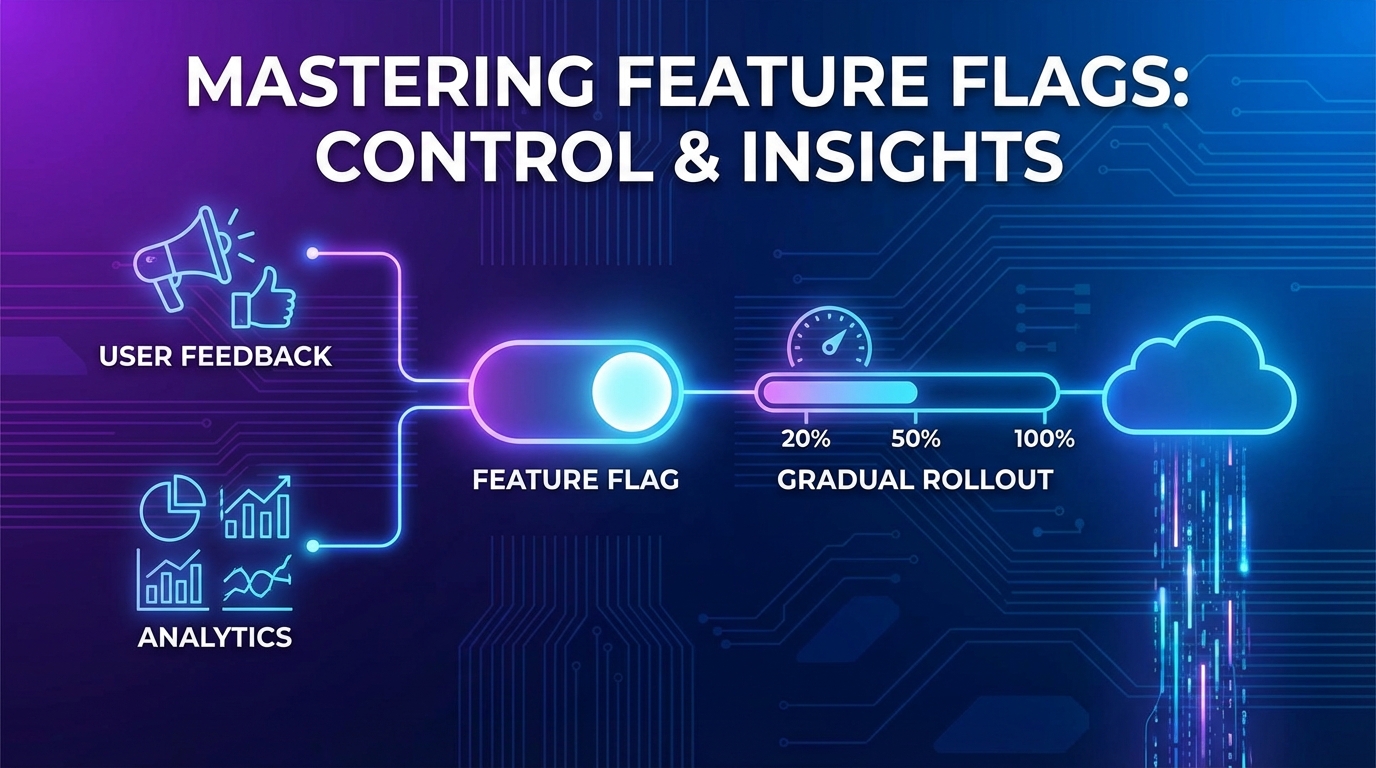
Feature flags enable gradual rollouts, but most teams only monitor technical metrics—error rates, latency, crashes. User feedback signals reveal what metrics miss: confusion, frustration, and delight. This guide shows how to integrate targeted feedback collection into your feature flag workflow to validate releases with real user signals before expanding deployment.
The Metrics Blind Spot
Feature flags revolutionized deployment. Instead of big-bang releases, teams can gradually roll out changes, monitor impact, and rollback if needed. But "monitor impact" usually means:
- Error rates
- Latency percentiles
- Crash reports
- Conversion funnels
These metrics answer "Is it working?" but not "Do users like it?" A feature can work perfectly—no errors, fast performance—while making users miserable.
When Metrics Lie
Consider these scenarios where technical metrics look fine but users suffer:
Scenario 1: Working but confusing
- New navigation ships
- No errors, fast loads
- Users can't find what they need
- Support tickets spike (delayed signal)
Scenario 2: Working but unwanted
- New feature enabled
- Strong adoption metrics
- Users hate it but have no choice
- Churn increases later (very delayed signal)
Scenario 3: Working but incomplete
- Feature mostly works
- Edge cases cause problems for 5% of users
- Error rate within tolerance
- Frustrated users disproportionately valuable
User feedback catches these issues before delayed signals compound.
The Feedback-Enhanced Rollout Framework
Integrate feedback collection into your feature flag workflow.
Phase 1: Internal Rollout (0-5% / Team Only)
Who sees it: Internal team, dogfooding users
Feedback method: Direct conversation
- Slack channel for feature feedback
- Daily standup check-ins
- Hands-on testing sessions
Questions to answer:
- Does it work as designed?
- Are there obvious usability issues?
- What's missing for basic functionality?
Gate criteria: Team consensus to proceed
Phase 2: Beta Rollout (5-15% / Power Users)
Who sees it: Users who opted into beta, power users, friendly customers
Feedback method: Targeted in-app survey
if (user.hasFeatureFlag('new-dashboard') && user.isBetaUser) {
  afterFeatureUsage('new-dashboard', () => {
    showFeedbackPrompt({
      question: "You're using our new dashboard. How does it compare to the old one?",
      options: ['Much better', 'Somewhat better', 'About the same', 'Worse'],
      followUp: 'What would make it even better?',
    });
  });
}
Questions to answer:
- How does it compare to the existing experience?
- What's confusing or frustrating?
- What's missing that would make users love it?
Gate criteria:
- 70%+ positive feedback
- No severe usability issues
- Known issues documented
Phase 3: Early Adopter Rollout (15-30%)
Who sees it: Broader set, but still targeted (new signups, specific segments)
Feedback method: Contextual micro-surveys
if (user.hasFeatureFlag('new-dashboard')) {
  // After first use
  onFirstUse('new-dashboard', () => {
    showFeedbackPrompt({
      question: "How was your first experience with the new dashboard?",
      type: 'rating',
      scale: 5,
    });
  });

  // After significant use
  onMilestone('new-dashboard', 'used_5_times', () => {
    showFeedbackPrompt({
      question: "Now that you've used it a few times, how's the new dashboard working for you?",
      type: 'open',
    });
  });
}
Questions to answer:
- Does it work for diverse use cases?
- Are there segment-specific issues?
- Is adoption healthy without forced usage?
Gate criteria:
- 65%+ satisfaction rating
- No segment showing significant problems
- Support ticket volume stable
Phase 4: Majority Rollout (30-80%)
Who sees it: Most users except known-risk segments
Feedback method: Passive signals + light-touch surveys
- Monitor support tickets mentioning the feature
- Track feature-specific feedback submissions
- Occasional sampling survey
Questions to answer:
- Any edge cases emerging at scale?
- How do different segments respond?
- Is the old experience missed?
Gate criteria:
- Satisfaction maintained at scale
- No regression in overall metrics
- Support volume acceptable
Phase 5: Full Rollout (100%)
Who sees it: Everyone
Feedback method: Standard feedback channels
- Feature now part of normal product feedback
- Monitor for ongoing issues
- Plan iteration based on accumulated feedback
Post-rollout review:
- Summarize feedback from entire rollout
- Document lessons for next release
- Plan improvements based on user input
Targeted Feedback Techniques
Different rollout stages need different feedback approaches.
Comparative Feedback
Ask users who've experienced both old and new:
Direct comparison:
"You've been using the new [feature]. How does it compare to the old version?"
- Much better / Somewhat better / Same / Worse / Much worse
Specific attribute comparison:
"Compared to before, is [feature] now:
- Easier or harder to use?
- Faster or slower?
- More or less reliable?"
First Impression Capture
Catch reactions while they're fresh:
// Trigger on first meaningful interaction
featureFlags.onFirstUse('new-export', (user) => {
  setTimeout(() => {
    showFeedbackPrompt({
      question: "You just used the new export feature. Quick reaction?",
      options: ['Loved it', 'It was fine', 'Struggled a bit', 'Didn\'t work'],
      timing: 'immediate',
    });
  }, 2000); // Brief delay after action completes
});
Usage-Based Follow-Up
Different questions for different usage levels:
| Usage Level | Question Focus |
|---|---|
| First use | First impression, ease of discovery |
| 5 uses | Workflow fit, compared to old way |
| 20+ uses | Advanced needs, missing features |
| Power user | Edge cases, integration requests |
Segment-Specific Feedback
Ask different questions based on user segment:
Enterprise users:
- Compliance and security concerns
- Admin/management features
- Integration needs
SMB users:
- Ease of use
- Time-to-value
- Self-service capability
New users (no old experience):
- Discoverability
- Learning curve
- Initial impression
Automated Analysis and Alerting
Don't wait for manual review—automate feedback analysis during rollouts.
Sentiment Monitoring
Track sentiment trends by rollout cohort:
Rollout Phase | Sample Size | Positive | Neutral | Negative | Alert Threshold
Beta (5%)     | 47          | 72%      | 19%     | 9%       | < 60% positive
Early (15%)   | 156         | 68%      | 21%     | 11%      | < 60% positive
Early (30%)   | 412         | 65%      | 24%     | 11%      | < 60% positive
Alert if: Sentiment drops below threshold or negative trend detected.
Theme Clustering
AI identifies emerging themes from open feedback:
Beta phase themes:
- "Can't find X setting" (34%)
- "Faster than before" (28%)
- "Missing Y feature" (21%)
- "Confusing labels" (17%)
Alert if: New theme emerges or existing theme rapidly grows.
Segment Anomaly Detection
Compare satisfaction across segments:
| Segment | Beta Satisfaction | Threshold | Status |
|---|---|---|---|
| Enterprise | 74% | 65% | ✅ Pass |
| SMB | 71% | 65% | ✅ Pass |
| Free | 52% | 55% | ⚠️ Warning |
| API users | 41% | 60% | 🚨 Alert |
Alert if: Any segment falls below its threshold.
Correlation with Behavior
Link feedback to actual behavior:
Users who said "Much better":
- 89% continued using new feature
- 12% higher engagement overall
- 3% submitted feature requests (healthy)

Users who said "Worse":
- 34% stopped using feature when possible
- 67% reverted to old workflow
- 41% submitted support tickets
Alert if: Negative feedback correlates with behavioral regression.
Integration with Feature Flag Platforms
Connect your feedback system to feature flag tools.
LaunchDarkly Integration
// Track feedback alongside flag evaluation
ldClient.on('flag-evaluation', (flagKey, value, user) => {
  feedbackSystem.setContext({
    featureFlag: flagKey,
    flagValue: value,
    userId: user.key,
    segment: user.custom.segment,
  });
});

// Query feedback by flag
const feedbackForFlag = await feedbackSystem.query({
  filter: { featureFlag: 'new-dashboard' },
  groupBy: 'flagValue',
});
Split Integration
// Attach treatment to feedback
const treatment = splitClient.getTreatment('new-checkout');
feedbackWidget.setMetadata({
  experiment: 'new-checkout',
  treatment: treatment,
});

// Analyze feedback by treatment
const results = analyzeFeedback({
  dimension: 'treatment',
  metric: 'satisfaction',
});
Custom Integration Pattern
// Generic pattern for any feature flag system
class FeedbackFlagIntegration {
  constructor(flagSystem, feedbackSystem) {
    this.flagSystem = flagSystem;
    this.feedbackSystem = feedbackSystem;
  }

  trackFeedbackWithFlags(userId, feedback) {
    const activeFlags = this.flagSystem.getActiveFlags(userId);
    this.feedbackSystem.submit({
      ...feedback,
      featureFlags: activeFlags,
      timestamp: new Date(),
    });
  }

  analyzeByFlag(flagKey) {
    return this.feedbackSystem.query({
      filter: { [`featureFlags.${flagKey}`]: true },
      compare: { [`featureFlags.${flagKey}`]: false },
    });
  }
}
Rollback Decision Framework
Feedback should inform rollback decisions.
Rollback Triggers
| Signal | Threshold | Action |
|---|---|---|
| Satisfaction drop | > 20% below baseline | Pause, investigate |
| Negative feedback spike | > 2x normal rate | Pause, investigate |
| Segment failure | Any segment < 50% positive | Pause for segment |
| Severe complaints | Any "broken"/"can't work" | Immediate review |
Partial Rollback
Sometimes full rollback isn't needed:
- Roll back for affected segment only
- Disable specific sub-feature
- Revert to old behavior for specific use case
Documentation Requirements
Every rollback should document:
- What feedback triggered the decision
- Which users were affected
- What needs to change before re-rollout
- Timeline for fixes
Key Takeaways
-
Technical metrics miss user sentiment: Error rates and latency don't reveal confusion, frustration, or delight. Feedback fills the gap.
-
Match feedback methods to rollout phase: Internal conversations for alpha, targeted surveys for beta, micro-surveys at scale.
-
Compare old vs. new explicitly: Users who've experienced both can tell you what improved and what regressed.
-
Automate sentiment monitoring: Set thresholds, detect trends, and alert when feedback signals problems.
-
Segment-specific analysis is essential: A feature can succeed overall while failing for critical segments.
-
Integrate with your feature flag platform: Tag feedback with flag state for powerful before/after analysis.
-
Let feedback inform rollback decisions: Define clear triggers and document every rollback for future learning.
User Vibes OS integrates with feature flag platforms to collect targeted feedback during rollouts. Learn more.
Related Articles
Feedback for Developer Tools: Unique Challenges of Collecting from Technical Users
Developers hate surveys but love fixing problems. Learn how to collect actionable feedback from technical users through GitHub issues, API logs, and community channels.
Feedback During Incidents: Turning Downtime and Outages into Improvement Opportunities
How to collect and use feedback during service disruptions. Balance communication, gather impact data, and emerge with stronger customer relationships and clearer priorities.
The Feedback-to-Feature Pipeline: From Raw Input to Shipped Code
End-to-end workflow from feedback collection through prioritization, specification, development, and closing the loop with users who requested features.
Written by User Vibes OS Team
Published on January 12, 2026