In-App vs Email Feedback: Channel Strategies, Timing, and Response Rates
When to use in-app widgets vs email surveys. Compare response rates, quality differences, and build a multi-channel feedback strategy that maximizes insights.
Summary
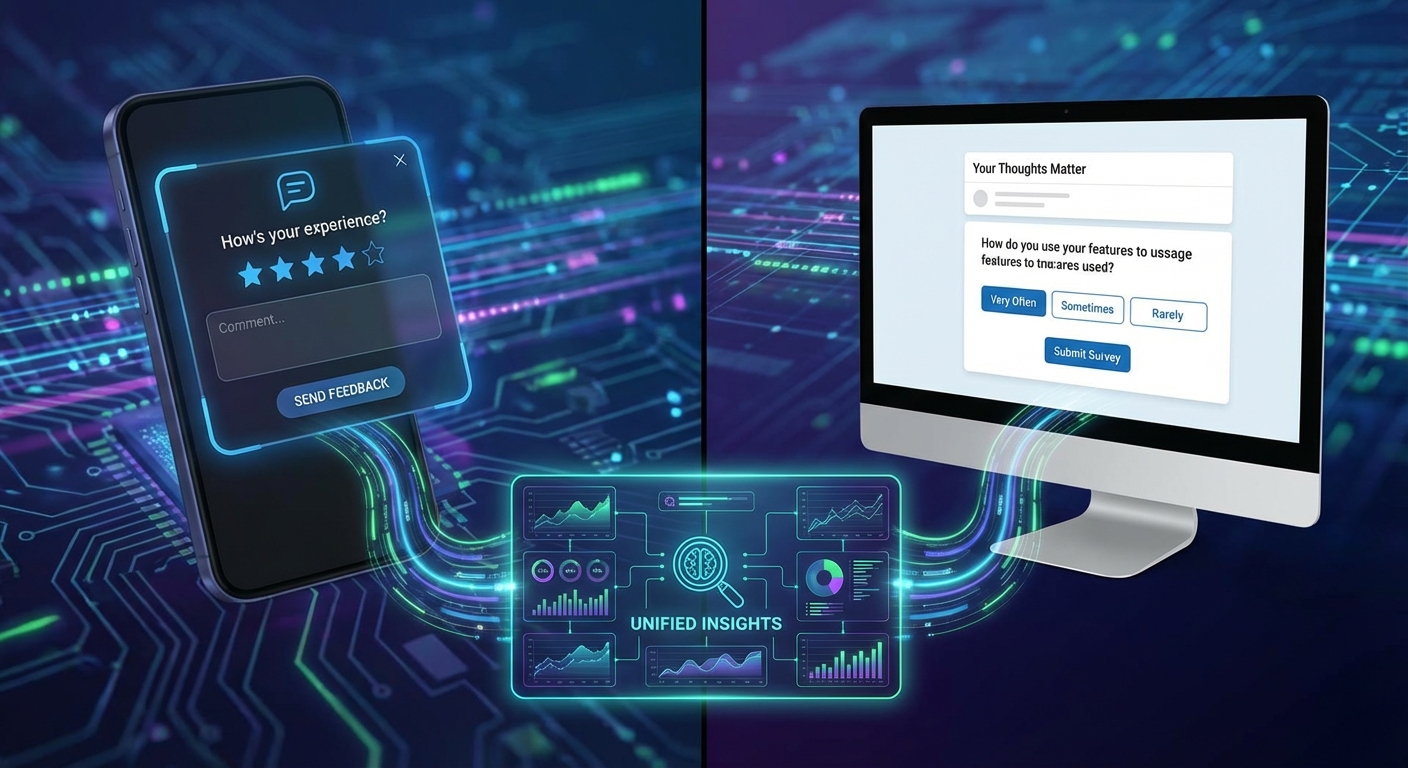
In-app feedback catches users in context but risks interruption. Email reaches users anywhere but loses context and competes with inbox noise. The best strategies use both channels strategically—in-app for immediate reactions, email for reflection and re-engagement. This guide provides benchmarks, timing strategies, and frameworks for building a multi-channel feedback system.
Channel Characteristics
Each channel has distinct strengths and weaknesses.
In-App Feedback
Strengths:
- Immediate context (you know what they just did)
- Higher response rates for engaged users
- Real-time reaction capture
- No inbox competition
- Can target specific behaviors
Weaknesses:
- Interrupts user workflow
- Only reaches active users
- Limited space for long-form responses
- Can feel intrusive if overused
- Mobile constraints on complex surveys
Email Feedback
Strengths:
- Reaches inactive users
- Space for detailed responses
- No workflow interruption
- Users can respond on their schedule
- Works for churned users
Weaknesses:
- Competes with inbox noise
- Loses context (memory decay)
- Lower response rates overall
- Spam filtering risk
- Requires valid email addresses
Response Rate Benchmarks
| Channel | Typical Response Rate | High-Performing Rate |
|---|---|---|
| In-app micro-survey (1 question) | 30-45% | 50-60% |
| In-app multi-question | 10-20% | 25-35% |
| Email survey (existing customers) | 10-15% | 20-30% |
| Email survey (cold/inactive) | 3-7% | 10-15% |
| Email NPS | 15-25% | 30-40% |
| Post-interaction email | 20-30% | 35-45% |
When to Use Each Channel
Match the channel to the feedback goal.
In-App: Best Use Cases
Immediate reaction capture:
- Just completed a task → "How easy was that?"
- Just used a new feature → "Is this helpful?"
- Just saw an error → "What were you trying to do?"
Contextual understanding:
- On a specific page → "Can you find what you need?"
- Using a specific feature → "What would make this better?"
- After milestone → "How's your experience so far?"
High-engagement moments:
- Power users in active sessions
- Users hitting limits (upgrade feedback)
- Users achieving success (testimonial opportunity)
Quick-answer questions:
- Yes/no decisions
- Rating scales
- Multiple choice with 3-5 options
Email: Best Use Cases
Reflective feedback:
- Overall product satisfaction
- Relationship health check
- Strategic input on direction
Re-engagement:
- Inactive users → "We miss you—what happened?"
- Pre-churn signals → "How can we help?"
- Post-churn → "What led to your decision?"
Detailed responses:
- Open-ended questions
- Multi-part surveys
- Qualitative research
Timing-sensitive collection:
- Post-purchase (after using the product)
- Renewal approaching
- Trial ending
- Lifecycle milestones
Decision Framework
Should I use in-app or email?

Is the user currently active in the product?
├─ Yes → Is the feedback about what they're doing right now?
│        ├─ Yes → IN-APP (immediate context)
│        └─ No → Do you need a long-form response?
│                ├─ Yes → EMAIL (space for detail)
│                └─ No → IN-APP (while engaged)
└─ No → EMAIL (reach them externally)

Is this a reflection on overall experience?
├─ Yes → EMAIL (give them space to think)
└─ No → IN-APP (capture in the moment)

Is this for churned or at-risk users?
├─ Yes → EMAIL (only way to reach them)
└─ No → Consider both based on above
Timing Strategies
When you ask matters as much as how.
In-App Timing
Immediate triggers (0-5 seconds after event):
- Task completion
- Error occurrence
- Feature discovery
- Upgrade moment
Delayed triggers (session-aware):
const delayedTrigger = {
  // Show after stable engagement
  condition: 'pageViews > 3 AND sessionDuration > 60s',

  // Not immediately after action
  delay: 5000, // 5 seconds

  // Respect user flow
  notDuring: ['checkout', 'onboarding', 'form_fill'],
};
Behavioral triggers:
- Returning user (session 3+)
- Power user threshold reached
- Specific feature used X times
- Scroll depth on content pages
Email Timing
Lifecycle-based:
| Event | Email Timing | Rationale |
|---|---|---|
| Sign up | Day 3 | After initial exploration |
| First value | Day 1 after | Strike while positive |
| Trial ending | Day -3 | Time to influence renewal |
| Renewal | Day 7 after | Post-decision reflection |
| Churn | Day 1-3 after | Memory still fresh |
| Dormant | Day 14+ inactive | Re-engagement opportunity |
Transactional piggybacking: Attach feedback to emails users expect:
- Receipt emails → "How was your purchase?"
- Shipping confirmation → "Looking forward to your feedback"
- Welcome email → "What brought you here?"
Optimal send times:
| Audience | Best Days | Best Times |
|---|---|---|
| B2B | Tue-Thu | 10am-2pm |
| B2C | Mon, Wed | 8-10am, 7-9pm |
| Global | Varies by region | Local time optimization |
Coordination Across Channels
Prevent overlap and fatigue:
const canRequestFeedback = async (userId, channel) => {
  const recentRequests = await getFeedbackRequests({
    userId,
    since: daysAgo(7),
  });

  const rules = {
    maxPerWeek: 2,
    minDaysBetween: 3,
    maxPerChannel: { inApp: 1, email: 1 },
  };

  // Check total volume
  if (recentRequests.length >= rules.maxPerWeek) return false;

  // Check days since last
  const lastRequest = recentRequests[0];
  if (lastRequest && daysSince(lastRequest.date) < rules.minDaysBetween) {
    return false;
  }

  // Check channel-specific limits
  const channelRequests = recentRequests.filter(r => r.channel === channel);
  if (channelRequests.length >= rules.maxPerChannel[channel]) return false;

  return true;
};
Response Quality Comparison
Different channels yield different types of insights.
In-App Response Characteristics
Positives:
- Highly contextual (you know what they were doing)
- Emotionally immediate (raw reactions)
- High accuracy (less memory decay)
Negatives:
- Often brief (typing on mobile, in a hurry)
- May miss broader perspective
- Recency bias (latest experience dominates)
Typical response length: 10-30 words
Email Response Characteristics
Positives:
- More reflective and considered
- Longer, more detailed responses
- Broader perspective on relationship
- Can reference specific past experiences
Negatives:
- Memory decay (may misremember)
- Recency bias of different type (recent frustration colors all)
- May conflate issues
Typical response length: 30-100+ words
Quality Optimization
For in-app:
- Keep questions simple
- Provide context ("You just [action]...")
- Offer quick-select options
- Make open text optional
For email:
- Provide context reminders ("Last month you...")
- Allow space for detail
- Use progressive disclosure
- Include "not applicable" options
Multi-Channel Strategy
Combine channels for comprehensive coverage.
The Complementary Approach
User Lifecycle Coverage
━━━━━━━━━━━━━━━━━━━━━━━━━━━━━━━━━━━━━━━━━━━━━━━━━━━━━━━━━━

Stage           │ In-App                 │ Email
━━━━━━━━━━━━━━━━━━━━━━━━━━━━━━━━━━━━━━━━━━━━━━━━━━━━━━━━━━
Onboarding      │ Task completion ease   │ Day 3 check-in
Active Use      │ Feature feedback       │ Monthly satisfaction
Milestones      │ Celebration + survey   │ Success story request
At-Risk         │ Exit intent capture    │ Re-engagement outreach
Churned         │ (N/A)                  │ Exit interview
━━━━━━━━━━━━━━━━━━━━━━━━━━━━━━━━━━━━━━━━━━━━━━━━━━━━━━━━━━
Unified Data Model
Aggregate responses across channels:
const feedbackItem = {
  // Core data
  response: "...",
  sentiment: "positive",
  topics: ["onboarding", "ease_of_use"],

  // Channel context
  channel: "in_app", // or "email"
  trigger: "task_completion",
  pageContext: "/dashboard",

  // User context (same across channels)
  userId: "user_123",
  accountId: "account_456",
  plan: "pro",
  tenure: "3_months",

  // Unified analysis
  actionability: 0.8,
  urgency: "low",
  theme: "positive_onboarding",
};
Cross-Channel Insights
Compare the same users across channels:
User #12345 Feedback History
━━━━━━━━━━━━━━━━━━━━━━━━━━━━━━━━━━━━━━━━━━━━━━━━━━━━━━━━━━

In-App (3 responses):
- Jan 5: Task ease 4/5 - "Pretty smooth"
- Jan 12: Feature useful? Yes
- Jan 18: NPS 8 - "Good but could be faster"

Email (2 responses):
- Jan 8: Onboarding survey - "Easy setup, docs were helpful"
- Jan 22: Satisfaction survey - "Love the product, wish
  reporting was more powerful. Also, onboarding was great!"

Cross-Channel Insight:
Consistent positive sentiment on onboarding.
Reporting mentioned in email but not in-app (reflective insight).
Speed concern appeared in-app (immediate reaction).
Optimization Tactics
Maximize response rates and quality for each channel.
In-App Optimization
Visual design:
- Minimal, non-intrusive
- Clear dismiss option
- Mobile-responsive
- Brand-consistent but subtle
Copy:
- Short (under 10 words for prompt)
- Action-oriented ("Quick feedback?")
- Specific to context
Technical:
const inAppSurveyConfig = {
  // Appearance
  position: 'bottom-right',
  animation: 'slide-up',
  delay: 3000, // ms after trigger

  // Respect user state
  hideOn: ['checkout', 'payment', 'onboarding-step-1'],
  minSessionLength: 60, // seconds
  requireAuthentication: true,

  // Throttling
  maxPerSession: 1,
  cooldownPeriod: 24 * 60 * 60 * 1000, // 24 hours
};
Email Optimization
Subject lines:
- Personal: "Quick question, [Name]"
- Specific: "How was [specific feature]?"
- Brief: Keep under 40 characters
- Avoid: "Survey", "Feedback", "Tell us"
Email body:
- Get to the question immediately
- Embed first question in email (one-click)
- Keep it short (under 100 words)
- Personal sender (person, not company)
Technical:
const emailSurveyConfig = {
  // Sender
  from: 'sarah@company.com', // Person, not noreply
  replyTo: 'feedback@company.com',

  // Tracking
  trackOpens: true,
  trackClicks: true,

  // Optimization
  embedFirstQuestion: true, // In email body
  oneClickRespond: true, // Click = submit

  // Delivery
  sendTime: 'optimal', // AI-determined best time
  timezone: 'user', // User's local time
};
Measuring Channel Effectiveness
Compare channels on multiple dimensions.
Metrics by Channel
| Metric | In-App | Why It Matters | |
|---|---|---|---|
| Response rate | 35% | 15% | Volume of data |
| Completion rate | 85% | 70% | Quality of data |
| Avg response length | 18 words | 47 words | Depth of insight |
| Time to respond | 30 seconds | 18 hours | Freshness |
| Actionability score | 0.72 | 0.68 | Usefulness |
| User satisfaction | 4.2/5 | 3.8/5 | Channel experience |
Channel Attribution
Which channel drives which insights?
Insight Source Analysis - Q4 2025
━━━━━━━━━━━━━━━━━━━━━━━━━━━━━━━━━━━━━━━━━━━━━━━━━━━━━━━━━━

Insight Type          │ In-App │ Email │ Support │ Other
━━━━━━━━━━━━━━━━━━━━━━━━━━━━━━━━━━━━━━━━━━━━━━━━━━━━━━━━━━
UX friction           │  67%   │  12%  │   18%   │   3%
Feature requests      │  34%   │  41%  │   20%   │   5%
Bug reports           │  28%   │   8%  │   58%   │   6%
Strategic feedback    │  12%   │  58%  │   22%   │   8%
Churn reasons         │   5%   │  72%  │   18%   │   5%
━━━━━━━━━━━━━━━━━━━━━━━━━━━━━━━━━━━━━━━━━━━━━━━━━━━━━━━━━━
Use each channel for what it does best.
Key Takeaways
-
Match channel to context: In-app for immediate reactions and active users; email for reflection and inactive users.
-
In-app wins on response rate: 30-45% typical vs. 10-15% for email, but email yields longer responses.
-
Timing is critical: In-app after completed actions, email based on lifecycle stage and optimal send times.
-
Coordinate across channels: Maximum 2 requests per week across all channels to prevent fatigue.
-
Use channels for different insights: In-app for UX friction, email for strategic feedback and churn reasons.
-
Optimize each channel separately: In-app needs minimal UI; email needs compelling subject lines and one-click response.
-
Unify the data: Aggregate responses across channels into a single user feedback profile for complete understanding.
User Vibes OS provides unified in-app and email feedback collection with intelligent timing and channel coordination. Learn more.
Related Articles
Micro-Surveys: The Art of the Single Question
How single-question surveys achieve 3-5x higher response rates while delivering actionable insights. Master timing, question design, and progressive disclosure.
The Feedback Flywheel: How Systematic Feedback Compounds Product-Market Fit
Build a self-reinforcing cycle where feedback improves product, which attracts users, who provide more feedback. The compounding effect that accelerates PMF.
Competitive Intelligence from User Feedback: What Users Reveal About Your Rivals
Extract competitive insights from organic user feedback—comparisons, switching triggers, feature gaps, and positioning opportunities hidden in everyday conversations.
Written by User Vibes OS Team
Published on January 13, 2026